PYLAB: Android app teaching Python with learn-practice-quiz flow
PYLAB, created by ARYANANDAS, is an Android educational app that teaches Python to Higher Secondary students in Kerala. The app uses a three-part Learn, Practice, Quiz methodology to introduce concepts, offer hands-on exercises, and assess understanding. Key elements include structured modules, progressive levels, and interactive quizzes aimed at classroom and independent study. It is intended for Higher Secondary learners, teachers, and beginners starting Python in an academic setting.
What the app does and who it serves
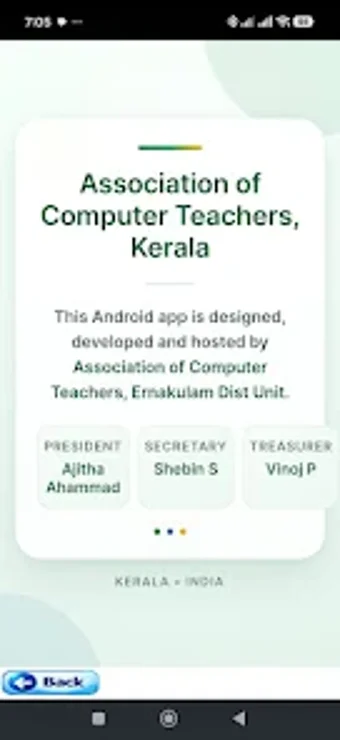
PYLAB presents a step-by-step course designed for students enrolled in Higher Secondary Computer Science or Computer Applications. The app groups material into structured learning modules and progressive levels, so classroom learners and self-directed beginners follow the same sequence. The developer association behind the app is a professional group of computer teachers, which explains the alignment with local academic requirements.
How the app teaches and assesses learning
Teaching follows a three-stage method: learn new topics, practise exercises, and take quizzes. The Practice sections let learners apply code concepts introduced in lessons, while the Quiz sections provide interactive checks of comprehension. This combination supports iterative study cycles, where students alternate reading, hands-on tasks, and short assessments to reinforce recall and understanding.
Who can use it and accessibility factors
The app targets Higher Secondary students in Kerala but also suits teachers and complete beginners who want a mobile route into Python. It runs on Android devices and was built with MIT App Inventor, which suggests a lightweight package and broad device compatibility. Because the Association of Computer Teachers developed and hosted the content, the material matches regional syllabus expectations.
Progress tracking, customization, and classroom fit
PYLAB provides in-app quizzes and progressive levels to indicate learner progression through topics, offering teachers a single mobile interface for instruction, practice, and assessment. The app bundles theoretical explanations with practice examples, meaning educators can assign modules and use quiz results to gauge class readiness. The lack of mention of external integrations implies classroom use centered on the app itself rather than an LMS connection.
Practical choice for Kerala Higher Secondary classrooms and beginner learners
PYLAB is a practical option for educators and students seeking a mobile-first way to study Python aligned to regional Higher Secondary curricula. It benefits classrooms where teachers want a compact, syllabus-aligned resource and helps beginners follow a disciplined study routine. One limitation is reliance on the app as the single learning environment, so teachers should pair it with coding practice on a desktop when students move beyond introductory concepts.